
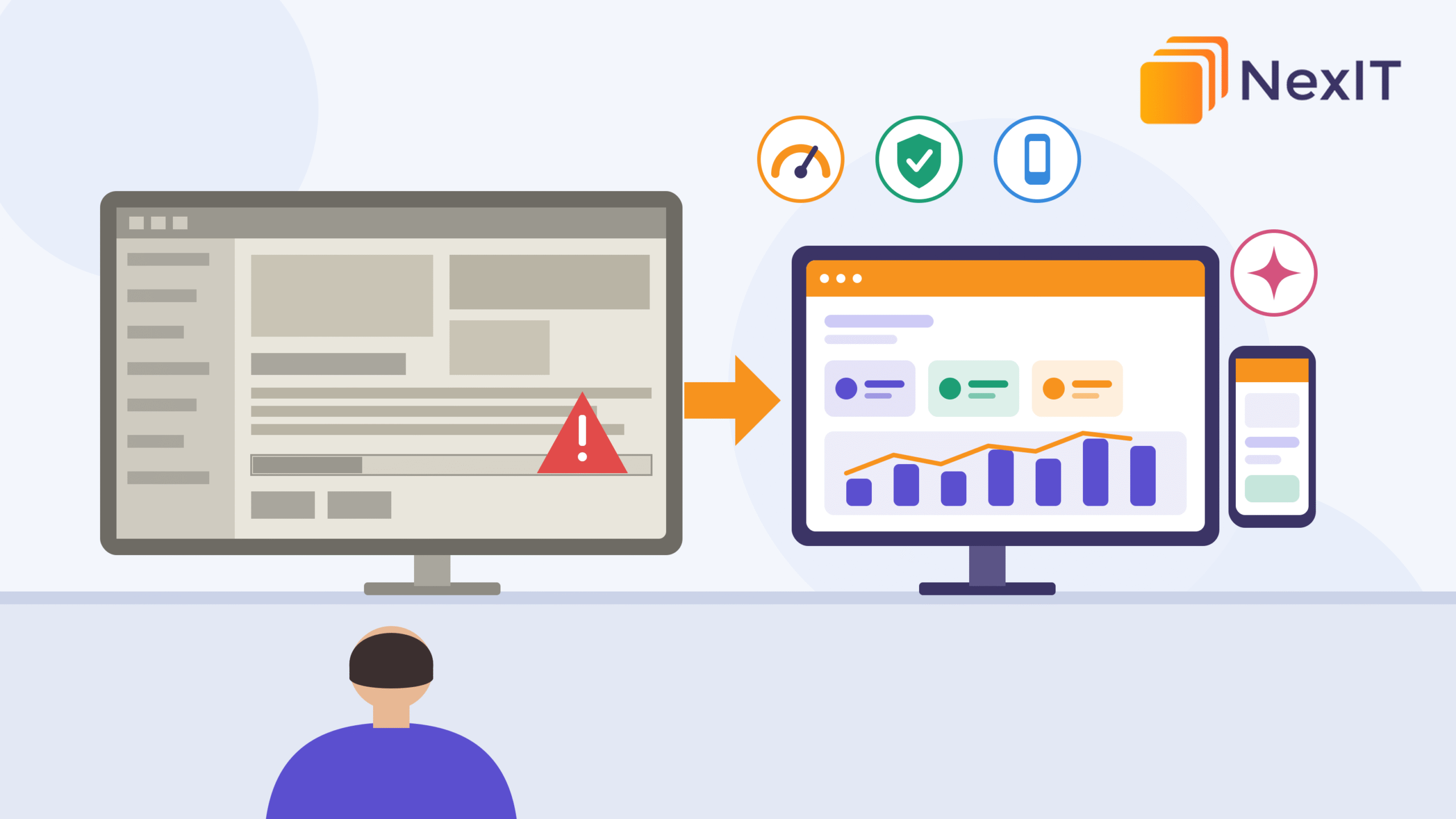
A web application may work perfectly when your business first launches it. However, as your business grows, customer expectations change and operational requirements become more demanding. Over time, slow performance, outdated technology and limited functionality can affect how effectively your application supports daily operations.
Upgrading your web app at the right time helps maintain performance, strengthen security and improve the user experience. Therefore, Melbourne businesses should regularly review their applications to identify technical limitations before they affect customers or business operations.
Your web app becomes noticeably slower
Slow loading speeds and delayed responses are common signs that your application needs attention. As user numbers, database records and background processes increase, existing infrastructure may struggle to handle the workload.
For example, an online booking application may initially process customer requests quickly. However, increased traffic and database activity can cause delays during busy periods.
Watch for these performance issues:
Pages take longer to load.
Forms respond slowly after submission.
Database searches return delayed results.
Applications experience frequent timeouts.
Performance decreases during peak traffic.
Developers can investigate database queries, server resources, caching and application code to identify bottlenecks. Additionally, load testing helps determine whether the existing infrastructure can support increasing traffic.
Your business needs new features
Business requirements rarely remain the same. You may initially need a simple customer dashboard, but later require automated notifications, payment processing, reporting tools or third-party integrations.
However, adding features to an outdated application can become difficult when its original architecture cannot support new functionality.
Consider upgrading when you need to:
Introduce new business workflows.
Connect external platforms and services.
Automate repetitive administrative tasks.
Improve customer account management.
Expand reporting and analytics capabilities.
Before adding functionality, identify which features provide genuine business value. This approach prevents unnecessary development costs and keeps the application manageable.
When evaluating web app development services Melbourne, discuss how an upgrade can support your current requirements while allowing room for future improvements.
Your application has security vulnerabilities
Security requirements change as new vulnerabilities emerge and software dependencies receive updates. Consequently, an application that was secure when developers launched it may become exposed to new risks.
Pay attention to warning signs such as:
Outdated frameworks or plugins.
Unsupported software components.
Weak authentication methods.
Unnecessary administrator permissions.
Missing security updates.
Unusual application activity.
Developers should regularly review dependencies, access controls, authentication systems and server configurations. Furthermore, they should apply security patches and test important application functions after updates.
If your application handles customer information, payment details or confidential business records, regular security reviews become particularly important.
Your existing technology limits business growth
An application’s original technology may suit a small business but struggle as operations expand. For example, a system built around a basic database structure may become difficult to extend when you introduce additional departments, integrations or user roles.
In these situations, a technical upgrade may be more effective than repeatedly adding temporary fixes.
Review these technical areas:
Application architecture and scalability.
Database structure and performance.
API integration capabilities.
Framework and programming language support.
Hosting infrastructure and resource requirements.
However, replacing the entire application is not always necessary. Sometimes, improving selected components can resolve technical limitations without rebuilding everything.
Businesses considering web application development Melbourne should evaluate their existing architecture before deciding between targeted improvements and a complete redevelopment.
Users frequently report problems
Customer and employee feedback can reveal usability problems that technical reports might overlook.
For instance, users may struggle with complicated navigation, confusing forms or features that no longer match their needs. As a result, they may take longer to complete tasks or contact customer support more frequently.
Look for these common indicators:
Repeated complaints about specific features.
Difficulty completing important workflows.
Increasing support requests.
Poor mobile usability.
Confusing navigation and interface layouts.
Collect feedback through support requests, user interviews and application analytics. Then, prioritise improvements according to how frequently problems occur and how much they affect users.
Maintenance becomes increasingly expensive
An older application may require frequent fixes because its components no longer work well together. Additionally, outdated dependencies and unsupported frameworks can make routine maintenance more complicated.
For example, developers may spend considerable time resolving compatibility problems instead of improving important business features.
Review your maintenance expenses and identify recurring technical issues.
An upgrade may help you:
Reduce repeated maintenance work.
Replace unsupported components.
Simplify application architecture.
Improve compatibility with modern browsers.
Make future development easier.
Compare the cost of maintaining the existing system with the estimated upgrade cost. This comparison helps determine whether targeted improvements or larger redevelopment offers better long-term value.
Your web app does not work properly on mobile devices
Customers and employees increasingly expect applications to work across smartphones, tablets and desktop computers. Therefore, an interface that only works well on desktop devices can create unnecessary usability problems.
Small buttons, crowded layouts, difficult forms and horizontal scrolling can frustrate mobile users.
A mobile-focused upgrade should include:
Responsive layouts for different screen sizes.
Readable text and appropriate spacing.
Touch-friendly buttons and navigation.
Mobile-friendly forms and input fields.
Consistent functionality across supported devices.
Additionally, test important workflows on smartphones and tablets rather than relying only on desktop previews.
How often should you evaluate your web application?
There is no universal upgrade schedule for every web application. The right frequency depends on its complexity, security requirements, business usage and technology stack.
However, regular reviews help identify problems before they affect daily operations.
| Review area | What to evaluate |
|---|---|
| Performance | Loading speed and response times |
| Security | Vulnerabilities and outdated dependencies |
| Functionality | Features and business requirements |
| User experience | Navigation and customer feedback |
| Compatibility | Browsers and mobile devices |
| Maintenance | Recurring fixes and operating costs |
For Melbourne businesses, reviewing application performance regularly and reassessing requirements before major business changes can help prevent unnecessary technical problems.
Conclusion
Upgrading your web application is not simply about adopting newer technology. It is about maintaining performance, improving security, supporting changing business requirements and providing a better user experience.
By reviewing application performance, collecting user feedback and identifying technical limitations early, businesses can make informed upgrade decisions and avoid unnecessary development costs.
NexIT Solutions helps businesses explore practical web application development solutions based on their technical requirements and operational goals. Whether you need to improve an existing application or plan a more extensive upgrade, taking the right steps early can support long-term business growth.
New Enquiries: 1300 899 259 | Support Team: [email protected]
REQUEST A FREE CONSULTATION