
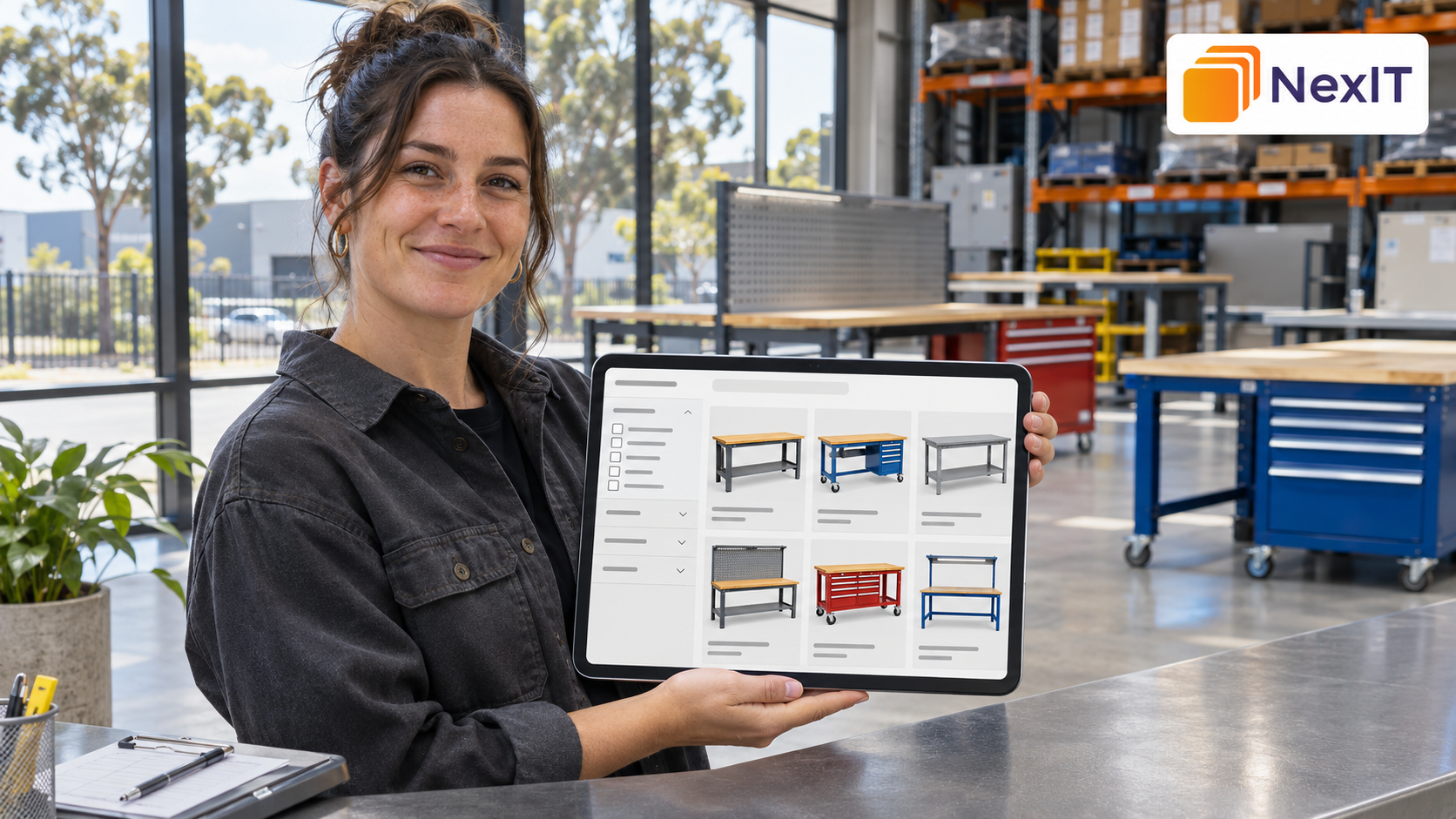
SEO services in Campbellfield can help businesses improve product category pages so customers can find the right range and compare their options. A useful category page names the products it covers, helps visitors narrow their choices and provides a clear path to purchase or enquire.
If you’re reviewing your website with NexIT Solutions, start with a category that matters to your business. For an industrial supplier, that might be a page for warehouse shelving, workbench accessories or pallet racking components. Review what customers search for, which products belong on the page and how visitors move from the category to a product.
Why Should You Optimise Product Category Pages?
A product category page serves customers who know the type of product they need and are still comparing options. Someone searching for “industrial shelving” may want to compare dimensions, configurations and availability before choosing a model.
Category pages also connect your main navigation to individual products. Google recommends making products reachable through links from menus to categories, subcategories and product pages. developers.google.com
A Detailed Review Can Help You
- Match each category to a clear customer need.
- Distinguish categories with similar product ranges.
- Help visitors compare products using relevant details.
- Find products that are difficult to reach through navigation.
- Identify duplicate or unnecessary filter URLs.
- Track which categories lead to product views and enquiries.
1. What Is the Main Purpose of the Product Category Page?
Identify the type of product the page should help customers find. Then check whether the products listed, the main heading and the available filters support that purpose.
A warehouse shelving category could help buyers compare shelving by depth, height and shelf capacity. A spare shelving parts category would serve a different purpose and might organise products by compatible system or component type.
Information to Record First
- The category URL and current page heading.
- The main product type and intended customer.
- Products and subcategories already listed.
- The specifications customers use to compare products.
- The next step available, such as viewing a product, placing an order or requesting a quote.
2. Which Search Phrases Best Match the Category?
Choose a primary phrase that describes the range. Use customer enquiries, catalogue terminology and queries from Google Search Console to see how buyers describe those products.
For example, a category with several industrial workbench models can target “industrial workbenches”. An individual product page can focus on a specific model and size. This gives each page a distinct purpose.
Search Phrase Details to Review
- The product type customers search for.
- Common industry terms and plain-language alternatives.
- Whether the query suggests browsing a range or finding a specific model.
- Whether another category serves the same customer need.
- Whether a location term matters because customers want local pickup, showroom access or delivery.
3. How Can You Write a Clear Title Tag and Meta Description?
Place the product category name near the beginning of the title tag. Use the meta description to add a detail that helps buyers decide whether to visit, such as the sizes available or the option to request a quote.
Metadata Checks to Complete
- Use a category name that matches the products listed.
- Give related categories distinct titles and descriptions.
- Add the brand name where it helps identify the supplier.
- Mention Campbellfield when it reflects something useful to buyers.
- Check that the page supports claims about stock, pickup or delivery.
Suggested title
Industrial Workbenches | Example Warehouse Supplies
Suggested meta description
Compare industrial workbenches by size, worktop material and storage options. View product specifications or request a quote for your workshop.
4. What Should the Category Heading and Introduction Explain?
Use the H1 to name the range customers are browsing. Follow it with a brief introduction that explains what is available and which differences matter when choosing a product.
For a workbench category, the introduction could explain that customers can compare worktop materials, bench widths and optional drawers. Put detailed selection guidance lower on the page if buyers need it, and keep the product range easy to reach.
Details to Include Where Relevant
- The main product types available.
- Common uses or work environments.
- Important differences in size, material or configuration.
- Compatibility details that affect selection.
- Where buyers can find full specifications or request help.
5. Where Should You Include Campbellfield?
Mention Campbellfield where it helps customers make a decision. If your business offers pickup from a Campbellfield warehouse, explain how buyers confirm availability and arrange collection. If the category serves customers across Australia, the title can focus on the product range while pickup information appears elsewhere on the page.
Location Details to Check
- Whether pickup or showroom access is available.
- Whether buyers need to book or confirm stock first.
- Which areas the business delivers to.
- Whether the location details match the business’s contact and delivery pages.
6. Can Customers and Google Reach the Products Through Internal Links?
Link important categories from the relevant menus and use descriptive links to connect categories, subcategories and products. A customer browsing warehouse equipment should have a clear path from the main range to industrial workbenches and then to an individual model.
Google recommends linking directly to products you want indexed. A site search box alone can leave products difficult for Google to discover because Googlebot generally does not submit searches through site search forms. developers.google.com
Internal Linking Checks to Complete
- Important categories are accessible through the main navigation.
- Parent categories link to relevant subcategories.
- Product cards link to their individual product pages.
- Breadcrumbs show where the category sits within the catalogue.
- Related categories are linked where they help customers compare alternatives.
7. Do Product Cards Help Customers Compare Options?
Show the differences that matter at the category level. If every product card says “Heavy-Duty Workbench” with no dimensions or visible differences, buyers have to open several pages just to work out which models fit their space.
Use consistent product names and show the same key details across comparable products.
Product Card Details to Review
- Product name and model.
- A clear image of the product.
- Key dimensions, materials or compatibility details.
- Price or quote information, where available.
- Accurate stock information, if displayed.
- A link to the full product specifications.
8. Which Filters Help Buyers Choose a Product?
Prioritise filters that reflect real buying decisions. For industrial workbenches, width, depth, worktop material and storage options may be more useful than a long list of minor attributes.
Review what happens to the URL when filters or sorting options are applied. A page sorted by price can display the same range in a different order, while a carefully maintained category for stainless steel workbenches may serve a distinct search need.
Filter Details to Review
- Which filters buyers use to narrow their choices.
- Whether filter labels and values are consistent.
- How the page handles combinations that return no products.
- Whether sorting or filtering creates additional URLs.
- Which product groups merit a dedicated category with useful content and internal links.
9. Can Visitors Reach Products Beyond the First Page?
Test what happens when visitors reach the end of the first set of products. If the category uses numbered pages, a “Load more” button or infinite scroll, check that shoppers can reach later products on mobile and desktop.
Google recommends providing crawlable links to paginated URLs so its crawler can discover later sets of products, including when shoppers see a “Load more” interface. developers.google.com
Pagination Checks to Complete
- Later product sets can be reached through crawlable links.
- Products beyond the first page link to their own URLs.
- Customers can navigate between product sets on mobile.
- The page handles empty or invalid page numbers appropriately.
- Filters and sorting work as expected when visitors browse further.
10. Have You Checked the Preferred Category URL?
Open the exact category URL you want customers to find. Confirm it loads, displays the correct products and is the address used by your menus, breadcrumbs and relevant internal links.
If the category has moved or several addresses show the same range, check the redirects and canonical settings before updating the content. Use URL Inspection in Search Console to review the preferred address and compare it with the version Google reports.
Publishing Checks to Complete
- Confirm the preferred category URL loads successfully.
- Check that the title, H1 and description reflect the live product range.
- Review any indexing restrictions and the canonical setting.
- Confirm navigation links point to the intended URL.
- Check the sitemap for the preferred category URL.
- Test filters, product links and enquiry options on mobile.
11. How Should You Monitor the Category After the Update?
Record what changed and when. In Google Search Console, filter the Performance report by the category URL and review the queries, impressions and clicks over comparable periods.
If your analytics tracks product clicks, quote requests or purchases, review those actions too. Note changes in stock, promotions or seasonal demand so you have context when interpreting the results.
What to Include in Your Follow-Up Record
- Category URL and update date.
- Changes to metadata, content, product links or filters.
- Search queries and impressions for the category.
- Clicks, click-through rate and average position.
- Product views, enquiries or purchases, where tracked.
- Stock changes or promotions during the review period.
A Practical Product Category SEO Review Table
| Review item | What to check |
| Category purpose | The page groups products that serve a clear buying need |
| Focus keyword | The phrase describes the range customers can browse |
| Title and description | Both fields reflect the category and its available products |
| H1 and introduction | Buyers can quickly understand what the range covers |
| Local relevance | Campbellfield appears where it helps with pickup, visits or delivery |
| Product cards | Buyers can compare the specifications that matter |
| Internal links | Menus, categories and product pages connect through direct links |
| Filters | Options help buyers narrow the range and have a clear URL strategy |
| Pagination | Visitors and search engines can reach later products |
| Follow-up | Search visibility and customer actions are tracked for the category |
Hypothetical Example: Updating a Campbellfield Industrial Workbench Category
A Campbellfield supplier lists industrial workbenches, spare drawers and replacement worktops on one page called “Workshop Products”. Customers looking for a complete bench have to browse past accessories, and the product cards show little beyond a name and photo.
Before the Review
- Title tag — Workshop Products | Example Warehouse Supplies
- H1 — Workshop Products
- Complete benches and replacement parts appear in the same grid.
- Customers must open each product page to find dimensions and worktop material.
After the Review
- Title tag — Industrial Workbenches | Example Warehouse Supplies
- H1 — Industrial Workbenches
- The category links to a separate range for workbench parts and accessories.
- Product cards show bench width, worktop material and available storage configurations.
- Pickup information explains how customers can confirm availability before collecting from Campbellfield.
The updated page gives buyers a direct way to compare complete workbenches and a separate route to find compatible parts.
Common Mistakes to Avoid
Using the Same Title for Several Product Categories
Name the range each page contains. Give shelving units, shelving accessories and workbenches distinct titles.
Adding a Long Introduction Before the Product Grid
Keep the opening focused on what buyers need to know first. Put detailed selection advice where it can help without delaying access to the range.
Creating a Separate Page for Every Filter Combination
Review whether a filtered group serves a distinct customer need and can support a useful, maintained category page.
Updating Metadata While Products Remain Hard to Find
Check the menu links, product cards and pagination alongside the title and description. Buyers need a clear route from the category to the products it promises.
A Practical Checklist Before Updating Your Website
- Open the exact category URL and confirm its purpose.
- Choose a product phrase that matches the range.
- Write a distinct title tag, meta description and H1.
- Explain the main product choices in a short introduction.
- Verify any Campbellfield pickup, showroom or delivery details.
- Review the product cards, internal links, filters and pagination.
- Check the live page on desktop and mobile after publishing.
- Record the update date for your follow-up review.
Discuss Your SEO Requirements With NexIT Solutions
If customers struggle to find the right products on your website, share your priority category URLs with NexIT Solutions. Include the ranges you want to promote, the questions buyers ask and the actions you want them to take. That gives the review a starting point for assessing category content, navigation and search visibility.
Book a Website Consultation →
Discuss product category pages and local SEO with NexIT Solutions.