

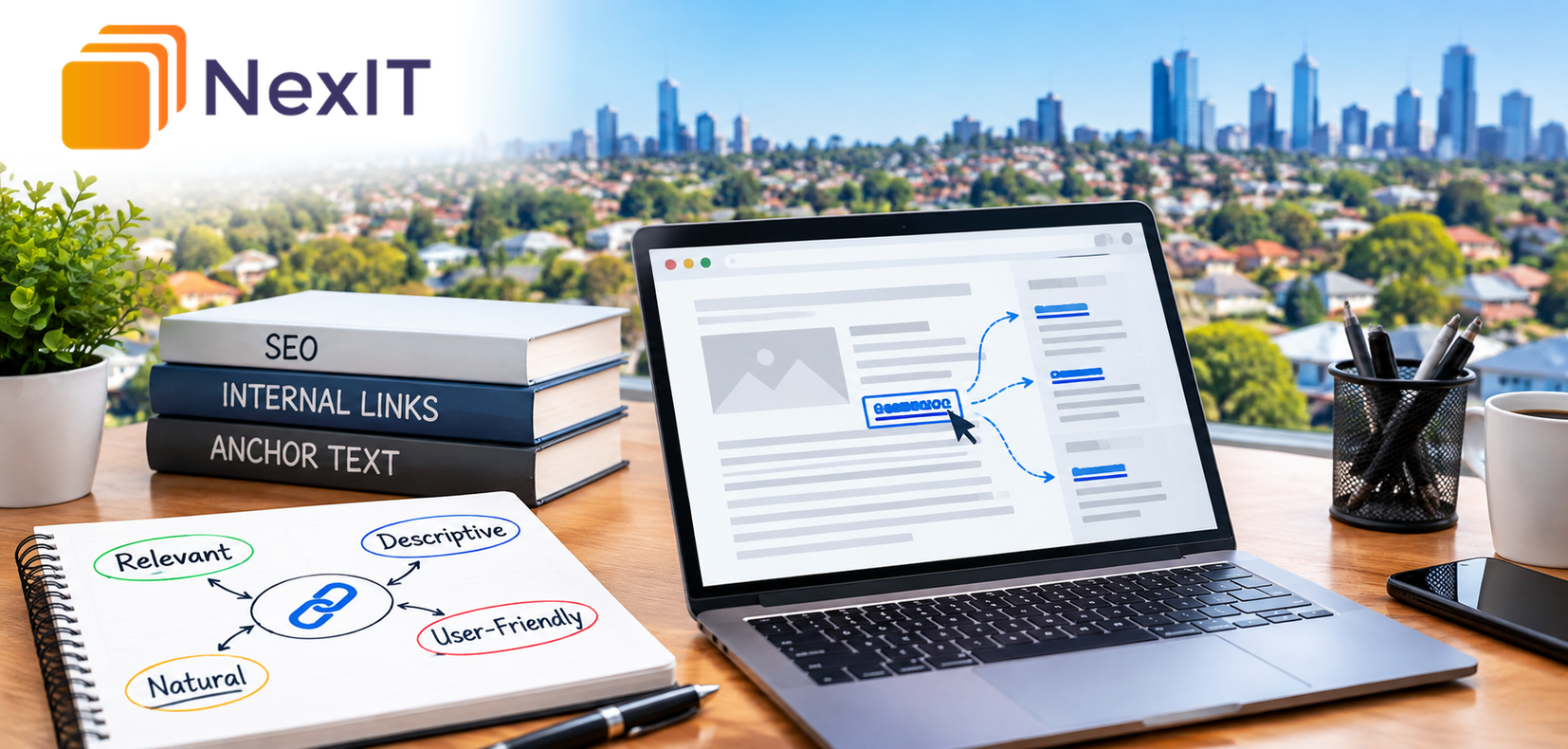
SEO services in Reservoir involve more than choosing keywords and publishing new website pages. The connections between those pages also deserve attention.
Internal links help visitors move between related information on the same website. Anchor text—the visible, clickable wording of a link—helps explain what visitors can expect when they follow it.
Imagine a Reservoir business publishing a useful guide about website improvements. A link labelled “website redesign checklist” gives readers a clearer expectation than a link labelled “click here”.
For businesses reviewing their websites with NexIT Solutions, choosing suitable anchor text is a practical part of making content easier to navigate and understand.
Why Should You Review Anchor Text for Internal Links?
A website may contain useful service pages, guides and case studies, but visitors need clear ways to discover them.
An internal link should connect the reader’s current question with a relevant next page.
Google recommends link wording that describes the destination clearly, stays reasonably brief and fits the content around it. Its guidance also discourages forcing keywords into links. developers.google.com
A Detailed Review Can Help You
- Make links easier to understand.
- Connect related website pages.
- Identify vague or misleading wording.
- Improve consistency across content.
- Help visitors find relevant service information.
- Identify links pointing to unsuitable destinations.
- Support clearer content editing procedures.
- Reduce unnecessary keyword repetition.
The aim is to help readers choose their next step with confidence.
1. What Is Anchor Text?
Anchor text is the wording a visitor selects to follow a text link.
For example, in a sentence directing readers to a website maintenance guide, the words “website maintenance guide” could form the anchor text.
The destination URL determines where the link goes. The anchor text describes that destination.
Common Internal Link Locations
- Main navigation menus.
- Service page descriptions.
- Blog paragraphs.
- Related article sections.
- Product category pages.
- Breadcrumb navigation.
- Footer menus.
- Consultation calls to action.
These links serve different purposes. A short navigation label may be suitable in a menu, while a link inside a blog paragraph may need more descriptive wording.
2. What Should the Reader Expect From the Destination?
Start by reviewing the page you intend to link to.
Its main purpose should guide the wording. A service page, educational article and consultation form offer different next steps.
Questions to Ask
- What is the destination page about?
- What question does it answer?
- Does it explain a service or provide instructions?
- Does it contain the information promised by the link?
- Is it relevant to the current paragraph?
- Is it the most useful destination available?
- Is the page current and accessible?
For example, “SEO reporting checklist” should lead to a checklist or a page containing that information.
If the destination is a general SEO service page, wording such as “explore our SEO services” may describe it more accurately.
3. How Can You Replace Vague Link Wording?
Generic wording often requires readers to examine the surrounding sentence to understand the link.
Review phrases such as “click here”, “this page” and “more information” when editing contextual links.
Examples to Review
| Less descriptive wording | Clearer alternative |
| Click here | Review the website maintenance checklist |
| Read more | Read the guide to search intent |
| Our services | Explore our website design services |
| This article | Understand how internal links work |
| More information | Compare SEO reporting measures |
| Get started | Request a website consultation |
These alternatives are illustrative. Choose wording that accurately reflects the actual destination.
A useful check is to read the linked words on their own and consider whether the likely destination is understandable.
4. How Much Text Should You Link?
Choose enough words to communicate the purpose of the destination without turning an entire paragraph into a link.
There is no need to apply a fixed word count to every anchor.
Compare These Examples
Too vague:
“Read our guide.”
More specific:
“Read our guide to choosing SEO keywords.”
Unnecessarily long:
“Read our detailed guide explaining all the different things your business should consider when choosing SEO keywords for its website.”
The middle example identifies the subject without making the link difficult to scan.
Questions to Ask
- Does each linked word help describe the destination?
- Can unnecessary words be removed?
- Does the phrase fit naturally into the sentence?
- Is the link easy to distinguish from nearby links?
- Would a shorter phrase remain clear?
Keep the wording appropriate to its purpose and location.
5. Should You Include Keywords in Anchor Text?
A relevant keyword can be part of clear anchor text.
For example, “technical SEO audit” may accurately describe a page explaining that service. There is no need to replace it with an awkward alternative simply because it contains a keyword.
Problems arise when wording becomes repetitive, exaggerated or difficult to read.
Compare These Approaches
Forced wording:
“Explore affordable best SEO services Reservoir SEO agency solutions.”
Natural wording:
“Explore SEO services for Reservoir businesses.”
Topic-specific wording:
“Review the technical SEO assessment process.”
The appropriate choice depends on the page being linked to and the reader’s needs.
Avoid setting an arbitrary percentage of exact-match anchors for internal links. Use editorial judgement to describe each destination clearly.
6. When Should You Include Reservoir in the Link?
A suburb name is useful when location helps explain the destination.
For example, “SEO services in Reservoir” may suit a link to a relevant Reservoir service page.
However, adding Reservoir to every internal link can make the content repetitive.
Location Wording May Be Useful When
- The destination specifically addresses Reservoir.
- The reader is comparing service areas.
- Local availability matters to the next step.
- The page contains useful location-specific information.
- The wording fits the surrounding discussion.
A general guide about anchor text may be better described as “internal linking guide” than “Reservoir internal linking guide”.
Location wording should reflect the destination’s content and the business’s actual service coverage.
7. Should Every Link to a Page Use Identical Wording?
Repeated navigation labels can help visitors recognise familiar destinations.
For example, a website’s main menu may consistently use “Contact” or “Website Design”.
Links inside articles can use wording suited to their surrounding paragraphs.
Possible Anchors for One Service Page
- Website design services.
- Business website design.
- Explore our website design approach.
- Website design and development, if both are covered.
Each phrase should remain accurate.
Do not manufacture variations simply to make every anchor different. Equally, avoid inserting the same long keyword phrase into unrelated sentences.
Consistency of meaning matters more than forced variety.
8. How Does the Surrounding Paragraph Affect the Link?
A relevant anchor works best within a paragraph that explains why the destination may help.
For example:
“Before replacing your website, identify the pages and functions that customers use most. A website redesign checklist can help organise that review.”
Here, the proposed link follows a clear reason to use the resource.
Context Questions
- Why would the reader need this page now?
- Does the paragraph introduce the linked subject?
- Is the destination a useful next step?
- Does the sentence read naturally?
- Is the link interrupting an unrelated discussion?
Avoid adding a service link to a paragraph solely because a matching keyword appears there.
9. How Should You Choose Between Similar Destination Pages?
Some websites contain several pages covering related subjects.
Before selecting anchor text, decide which destination best matches the reader’s need.
Examples to Consider
- Link a general service reference to the relevant service overview.
- Link a specific question to a guide that answers it.
- Link a project example to an appropriate case study.
- Link a booking invitation to the intended enquiry or booking process.
- Link a location reference to a useful, relevant location page.
Do not send every link to the homepage when a more specific destination would help.
If two pages appear to serve the same purpose, review the content structure before adding more links.
10. How Many Internal Links Should You Add?
Choose links according to the information the page needs to provide.
Google does not prescribe an ideal number of links per page. Its guidance encourages linking to relevant resources in context and ensuring important pages have links from elsewhere on the website. developers.google.cn
Questions to Ask
- Does each link provide a useful next step?
- Are several links repeating the same purpose?
- Can readers distinguish the destinations?
- Are important pages reachable through suitable links?
- Has the paragraph become difficult to read?
- Would a related resources section be clearer?
A short service page and a detailed resource guide may reasonably contain different numbers of links.
11. How Should Buttons and Image Links Be Reviewed?
Internal linking includes more than links inside blog paragraphs.
Buttons, cards and linked images also need clear destinations and understandable labels.
Items to Review
- Button wording describes the action.
- Service cards identify their subject.
- Linked images have suitable accessible descriptions.
- Repeated cards make different destinations distinguishable.
- Consultation links reach the intended process.
- Links remain usable on mobile devices.
For a consultation button, “Request an SEO consultation” may set a clearer expectation than “Submit” before the visitor has reached a form.
Choose wording that matches what happens after selection.
12. Are the Links Implemented Correctly
Clear anchor text cannot compensate for a broken destination.
Check both the wording and the underlying link.
Google generally relies on an HTML anchor element with an href attribute to extract crawlable links. developers.google.com
Checks to Complete
- The link points to the intended URL.
- The destination loads successfully.
- The link uses the current preferred address.
- Redirects are reviewed where encountered.
- The link works on desktop and mobile.
- Important links are present in the rendered page.
- Link styling makes clickable text recognisable.
- Keyboard users can reach and activate the link.
Where the website uses custom interactive elements, ask the developer to verify their implementation.
13. How Can You Review Existing Anchor Text Efficiently?
Begin with important pages and expand the review as needed.
A manageable first group might include priority service pages, frequently visited blog posts and pages involved in the enquiry journey.
Suggested Review Process
- List the pages being reviewed.
- Record their internal link destinations.
- Identify vague or misleading anchors.
- Check whether each destination fits the context.
- Draft clearer wording.
- Remove links that serve no useful purpose.
- Check the updated links.
- Record completed changes.
Keep the surrounding content readable when making edits. Replacing every short phrase with a long service keyword can reduce clarity.
14. How Should You Assess the Results?
Record when changes are published and what was updated.
Assess the work first against its direct purpose: clearer wording, suitable destinations and working links.
Useful Review Areas
- Completion of the agreed updates.
- Broken or incorrect links resolved.
- Access to important service pages.
- Visitor movement between related pages, where tracked.
- Enquiry journey usability.
- Search performance of relevant pages over time.
- Other website changes made during the same period.
A change in rankings or enquiries does not, by itself, prove that anchor text edits caused it.
Interpret performance alongside content changes, demand, competition and other website activity.
A Practical Internal Anchor Text Review Table
| Review area | Question to ask | Evidence to review |
| Destination | Where should this link lead? | Actual destination content |
| Accuracy | Does the wording describe that page? | Anchor and destination comparison |
| Clarity | Can readers predict the next step? | Link wording in context |
| Length | Is the wording unnecessarily long? | Edited sentence |
| Keywords | Does the phrase read naturally? | Full paragraph |
| Location | Does Reservoir help describe the page? | Location relevance |
| Consistency | Are similar destinations described clearly? | Links across related pages |
| Usefulness | Does the reader need this link here? | Purpose of the paragraph |
| Implementation | Does the link work correctly? | Desktop, mobile and technical checks |
| Maintenance | Who reviews future changes? | Assigned editing responsibility |
Hypothetical Example: Improving Links on a Reservoir Business Website
A Reservoir service business publishes articles answering common customer questions.
Its content includes several links labelled “read more”, but visitors cannot easily distinguish whether they lead to a service page, another article or an enquiry form.
Before the Review
- Different destinations use identical generic wording.
- Some service references lead to the homepage.
- Several links repeat a long suburb keyword phrase.
- One older article points to a removed page.
- Consultation wording does not explain the next step.
After the Review
- Links describe the relevant service or guide.
- Specific references lead to appropriate pages.
- Location wording appears where it helps explain the destination.
- The outdated link is corrected.
- Consultation links clearly describe the intended action.
The business checks the updated pages and documents the changes.
This example illustrates an editing process. It does not predict a particular ranking or conversion improvement.
Common Mistakes to Avoid
Using Generic Wording for Every Contextual Link
Describe the destination so readers can distinguish useful next steps.
Repeating the Same Long Keyword Phrase
Choose wording that fits the sentence and accurately represents the linked page.
Adding Reservoir to Unrelated Links
Include location wording when it provides meaningful information.
Linking Every Service Mention to the Homepage
Consider whether a specific service page would better meet the reader’s need.
Promising Information the Destination Does Not Provide
Check that the page contains the guide, comparison or service described.
Editing Text Without Testing the Link
Verify the destination and functionality after publication.
A Practical Checklist Before Publishing
- Each link has a clear purpose.
- The destination matches the surrounding discussion.
- Anchor text accurately describes the destination.
- Wording is concise enough to scan.
- Keywords fit naturally.
- Reservoir appears where location is relevant.
- Different destinations are easy to distinguish.
- Links do not crowd the paragraph.
- Important pages have suitable internal connections.
- URLs load correctly.
- Buttons describe their intended actions.
- Desktop, mobile and keyboard checks are complete.
Discuss Your SEO Requirements With NexIT Solutions
When discussing SEO services in Reservoir with NexIT Solutions, include your website’s internal links in the content review.
Explain which services matter most, which pages customers need to find and where visitors may struggle to choose their next step.
Ask for recommendations that connect anchor wording with relevant destinations and clear customer journeys.
Visit NexIT Solutions to discuss your website and SEO requirements.
Book a Website Consultation →
Prepare examples of unclear links and identify the service pages you want customers to discover more easily.