
Most business owners say it at some point, usually after a competitor launches one or a customer asks why you don’t have one. But an app is a big decision. It costs real money, it needs maintaining, and if nobody uses it, it’s a very expensive icon on a phone.
So before anyone talks about screens and features, it’s worth asking a plainer question: does your business actually need a mobile app, and if so, which kind?
This guide helps Moorabbin businesses answer that honestly, covering when a custom app is worth it, when something simpler will do and how to get it right if you build one.
What are you trying to fix?
Apps work best when they solve a specific problem. For most local businesses, that problem falls into one of four categories.
Your team is working in the field or on the floor. Job details, photos, signatures, timesheets and checklists are being handled on paper, by text message or after the fact.
Customers want to book or reorder easily. Phone calls and emails are the only way to make an appointment or place a repeat order.
Information is out of date by the time it reaches the right person. Stock counts, job status and delivery updates all lag.
You want customers to come back. Loyalty, notifications and easy rebooking would help.
If your problem isn’t on this list, you may not need an app. A faster website or a simple automation could do more for less.
App, web app or website: which do you need?
It helps to know your options before you commit.
A mobile-friendly website is the right answer if you mainly want to be found, share information and take enquiries. It works on every device and needs no download.
A web app runs in the browser but behaves like software: logins, dashboards, bookings, ordering. It’s often cheaper than a native app and works on any phone, tablet or computer. Our guide to web app vs website development explains the difference.
A mobile app is installed from the App Store or Google Play. It can use the camera, GPS, push notifications, barcode scanning and offline storage, and it sits on the user’s home screen.
An off-the-shelf app is a ready-made product. There are well-established job-management and booking apps built for trades and service businesses, and for many businesses they’re the sensible first step.
The honest order of preference is usually: try an existing tool first, build a web app if you need something tailored, and build a custom mobile app when the experience on a phone is the whole point.
When a custom mobile app is worth building
Custom mobile app development in Moorabbin makes sense when:
- Existing apps don’t fit your workflow, or you’d need several tools stitched together
- Your team needs to work reliably with patchy reception or no signal
- You need device features such as the camera, barcode scanning, GPS or push notifications
- Customers or staff will use it often, not once a year
- You need to connect it to your own systems, such as inventory, CRM or accounting
- The app is part of your service, or a real point of difference
- You want to own the product and avoid per-user fees from a third party
If none of these apply, start simpler. You can always build later, and you’ll have learned what your team and customers actually need.
What a field service app does
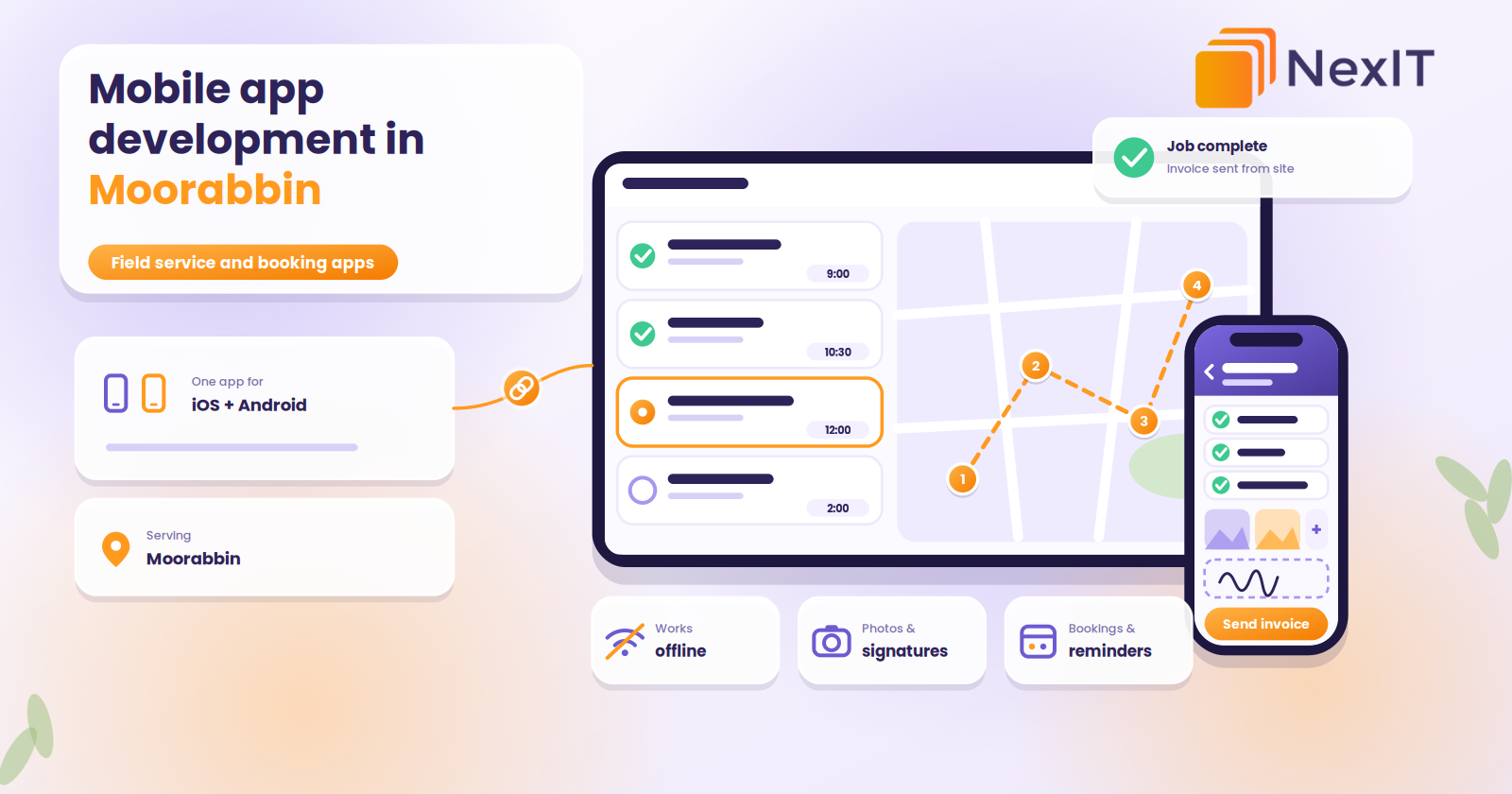
A field service app puts your job management in your team’s pockets. A well-designed one typically includes:
- Job lists and scheduling. Who’s going where, when, with all the details.
- Customer and site information, including history, notes and access instructions.
- Photos and notes attached directly to the job.
- Digital forms and checklists, such as safety checks, inspections and compliance sign-offs.
- Signatures captured on the spot.
- Quotes and invoices created and sent from the job.
- Timesheets and travel tracking.
- Offline mode, so the app keeps working in basements, hangars and warehouses with poor coverage, then syncs when it reconnects.
- Integration with your accounting software and office system.
Good apps in this category save time on every job: less paperwork, fewer forgotten details and faster invoicing.
What a booking app does
A booking app lets customers choose a time without calling. For a service business, clinic or workshop, it typically includes:
- Available times based on your real calendar
- Service selection and staff choice
- Automatic confirmation and reminder messages
- Rescheduling and cancellation
- Optional online payment or deposits
- Notes or photos from the customer
- Integration with your calendar and CRM
A booking app doesn’t always need to be a downloadable app. Often a booking page on your website, or a web app, delivers the same benefit with less cost. A downloadable app makes sense when customers book repeatedly, or when notifications and quick rebooking are part of the appeal.
Talk to a NexIT Expert
New Enquiries: 1300 899 259 | Support Team: [email protected]
REQUEST A FREE CONSULTATION
Who benefits in Moorabbin?
Moorabbin’s mix of businesses creates a lot of practical uses for apps. The area has a large industrial zone, the Moorabbin Airport precinct, and neighbouring suburbs such as Cheltenham, Highett, Bentleigh East, Mentone and Heatherton, all within the City of Kingston, where manufacturing, healthcare and retail are among the major industries.
Trades and maintenance crews. Job sheets, photos, compliance forms and invoices from site.
Workshops and automotive businesses. Booking, job status updates and customer notifications.
Manufacturers, warehouses and distributors. Stock checks, picking, receiving and delivery confirmation, often with barcode scanning.
Aviation and training businesses. Scheduling, bookings, briefings, logbook-style records and communication with students or clients.
Healthcare and allied health. Bookings, reminders and secure messaging, with privacy handled carefully.
Retail and hospitality. Loyalty, ordering and click-and-collect.
Wholesalers and suppliers. A reorder app for trade customers. This often works best alongside a customer portal. Our post on customer portals for Moorabbin wholesalers covers that.
iOS, Android or both?
Your users decide. In Australia, iPhone has the larger share of mobile use among consumers, so customer-facing apps often start on iOS. In warehouses, workshops and logistics, Android handhelds and rugged devices with built-in scanners are common.
For most business apps and mobile apps in Moorabbin, cross-platform development is the practical answer. One code base produces both an iOS and an Android version, which usually costs less and launches sooner than building two separate native apps. Our guide to iOS vs Android app development goes into this in detail.
Features that matter more than they sound
When you plan an app, a few details make a big difference to whether people use it:
- Speed and simplicity. Common tasks should take a few taps, not a manual.
- Offline use, for anyone working in poor reception.
- Big buttons and clear text, for people wearing gloves or working outside.
- Secure logins, with the right access for each role.
- Notifications that help, not spam.
- Easy updates, so you can improve the app as you learn.
What does it cost?
Costs vary widely. The main factors are:
- The number and complexity of features
- Whether you build for iOS, Android or both
- Design and user experience work
- Integrations with your accounting, CRM or job software
- Backend systems, such as databases, user accounts and admin tools
- Testing across devices
- Publishing to the App Store and Google Play
- Ongoing maintenance, updates and support
A focused first version with a handful of features costs far less than a large platform. The best way to control cost is to launch an essential version, put it in the hands of real users and expand based on what they need. Our guide to custom software development costs in Melbourne explains how pricing works for bespoke builds.
Don’t forget ongoing costs. Apps need updates when Apple and Google release new versions of their systems, plus hosting, security and support.
How long does it take?
A simple app can take a few months. Apps with accounts, payments, integrations and offline features take longer. Publishing adds time, because Apple reviews every app before it goes live, so plan for that.
What the process should look like
- Discovery. Your users, their tasks and the problem you’re solving
- Planning. Features, platforms, integrations and a clear first version
- Design. Wireframes and prototypes you can test before building
- Development. Building the app, backend and admin tools
- Testing. Real devices, real conditions and poor reception
- Pilot. A small group of staff or customers using it for real work
- Launch. Publishing to the stores and rolling out to everyone
- Support and improvement. Updates, fixes and new features
The pilot step is the one people skip, and it’s often the most valuable. Real users find problems no one expected.
Privacy and security
If your app handles customer details, job records, health information or payments, take it seriously from the start:
- Role-based access, so people only see what they should
- Secure data storage and encrypted connections
- Clear privacy information, in line with Australian privacy requirements
- Careful handling of location and photo data
- Regular security updates
Ask any developer how they handle these before you sign.
Common mistakes to avoid
- Building an app before testing the idea. Try a simpler version first.
- Packing in every feature. Start with the essentials.
- Skipping real-world testing. A warehouse or hangar isn’t an office.
- Ignoring training. Even a great app fails if your team won’t use it.
- Forgetting maintenance. Phones update every year.
- Not owning the code and accounts. Make sure you control your app store accounts and source code.
- Building for you, not your users. Ask the people who will use it.
How to choose a mobile app developer in Moorabbin
- Look at apps they’ve published, and try them.
- Ask for relevant experience with field service, booking or business workflow apps.
- Check they start with your problem, not a feature list.
- Confirm ownership of the code, designs and developer accounts.
- Ask about testing on real devices and in poor reception.
- Ask how updates and support work after launch.
- Look for honesty. A good developer will tell you if an existing app or a web app would do the job.
Red flags
- A quote with no discovery or planning stage
- Promises of “easy and cheap” with no detail
- No mention of testing, security or maintenance
- Reluctance to explain who is building the app
- Contracts that keep ownership of your code
- Pressure to build every feature at once
How much does mobile app development cost in Moorabbin?
It depends on the features, platforms, integrations, design and backend needs. A focused first version costs much less than a full platform. Ask for an itemised quote that includes testing, publishing and ongoing support, and consider starting with a limited version.
Do I need a custom field service app, or can I use an existing one?
For many trades and service businesses, an established job-management app is the sensible first step. A custom field service app makes sense when your workflow is unusual, you need to connect it to your own systems, or existing apps don’t fit how your team works.
How long does it take to build a mobile app?
A simple app can take a few months. Apps with user accounts, payments, offline features and integrations take longer. Launching a focused version first and expanding later is usually the fastest route to something useful.
Can I have a booking app without building a full mobile app?
Yes. A booking page on your website or a web app often delivers the same benefit, with no download required. A dedicated booking app makes more sense when customers rebook often, or when notifications and loyalty features are important.
Should my business app work on both iPhone and Android?
Usually yes, unless you know all your users are on one platform. Cross-platform development lets one code base produce both versions, which typically costs less and launches sooner than building two separate native apps.
Not sure which is right for your business?
The best choice depends on what your website needs to do for you, and a short conversation usually makes it clear. NexIT Solutions helps Melbourne businesses plan, design and build websites on WordPress, custom platforms and everything in between, and we’ll tell you honestly which one fits.
📞 Call NexIT Solutions today: 1300 899 259