
Walk through Moorabbin’s industrial streets, or the offices and workshops around the airport precinct, and you’ll find businesses that are good at what they do and held back by how much paperwork it takes to do it.
Quotes typed out by hand. Orders re-entered into a second system. Job updates passed along by text message. A spreadsheet that only one person understands. None of it looks like a crisis, but it eats hours every week, and those hours add up.
That’s the problem business automation solves, and it’s more achievable for a small team than most owners assume. This guide explains where to start, what’s worth automating and how to avoid the common mistakes.
What is business automation?
Business automation means using software to handle repetitive tasks that a person would otherwise do by hand. When something happens, such as a customer submitting a form, a job being marked complete or an invoice becoming overdue, the system takes the next step automatically.
There are two broad layers:
Workflow automation. Rule-based steps that follow a set path. For example: when an enquiry arrives, create a record, send a confirmation email and notify the right person. Workflow automation in Moorabbin businesses is often the quickest win because the rules are clear.
AI automation. Adds artificial intelligence for tasks that need a little judgement, such as reading a supplier invoice, sorting incoming emails by urgency, summarising a customer request or answering common questions. AI automation for small business has become far more practical and affordable in the last couple of years.
Most useful setups combine both: a reliable workflow, with AI handling the messy parts.
Why Moorabbin businesses are a good fit
Moorabbin has a mix of businesses that suit automation well.
The eastern side of the suburb has been an industrial area for decades, and Kingston, the council area it sits in, is one of Victoria’s major employment centres with one of the largest industrial sectors. Nearby, the Moorabbin Airport precinct covers roughly 294 hectares of industrial, office, retail and aviation land, including flight training, maintenance, logistics and manufacturing tenants. Around them are trades, wholesalers, distributors, health clinics and professional firms in Cheltenham, Highett, Bentleigh East, Mentone, Braeside and Heatherton.
Many of these businesses share the same pressures:
- Lean teams doing more with the same number of people
- Time-sensitive work, where slow quotes or late follow-ups lose jobs
- Compliance and record-keeping, from safety and maintenance records to licences and certificates
- Supplier and customer paperwork that arrives in different formats
- Rising competition for both customers and staff
Automation helps a small team handle more work without adding admin staff.
Where to start: one painful process, not a big plan
The businesses getting the best results from automation tend to follow the same sequence, and it’s refreshingly unglamorous.
1. Pick one painful, repetitive process. Not “automate the business.” Choose the task people complain about most or that costs the most hours.
2. Map how it works today. Write down each step, who does it and which tools are involved. This often reveals steps that shouldn’t exist at all.
3. Fix the process before automating it. Automation speeds up whatever you give it. If the process is messy, you’ll just get a faster mess. Sometimes the answer is simplifying the process, not adding technology.
4. Run a small pilot. Automate that one process, test it with real work and keep a person in the loop at first.
5. Measure before and after. Track time spent, errors and turnaround. If the numbers don’t improve, adjust.
6. Expand step by step. Once one process works, apply what you’ve learned to the next.
Good first automations for Moorabbin businesses
These are practical, low-risk starting points. Which ones matter will depend on your business.
Enquiries and quotes
- Capture web and email enquiries automatically into one place
- Send an instant acknowledgement so customers know you’ve received their request
- Generate quotes from templates and follow up automatically if there’s no reply
Orders, invoices and stock
- Pull order details from emails or forms into your accounting or inventory system
- Create invoices when jobs are completed
- Trigger reorder alerts when stock runs low
Scheduling and job tracking
- Assign jobs, send reminders and update customers as work progresses
- Collect job sheets, photos and signatures from the field
Compliance and documents
- Remind you when licences, insurance, certificates or inspections are due
- Read and file delivery dockets, supplier invoices and compliance documents
Customer communication
- Send review requests after completed jobs
- Handle missed calls with automatic text-backs or an AI assistant that answers common questions and captures details
- Route messages to the right person
Reporting
- Build dashboards that update by themselves, so Monday’s report doesn’t take an afternoon
What it looks like in practice
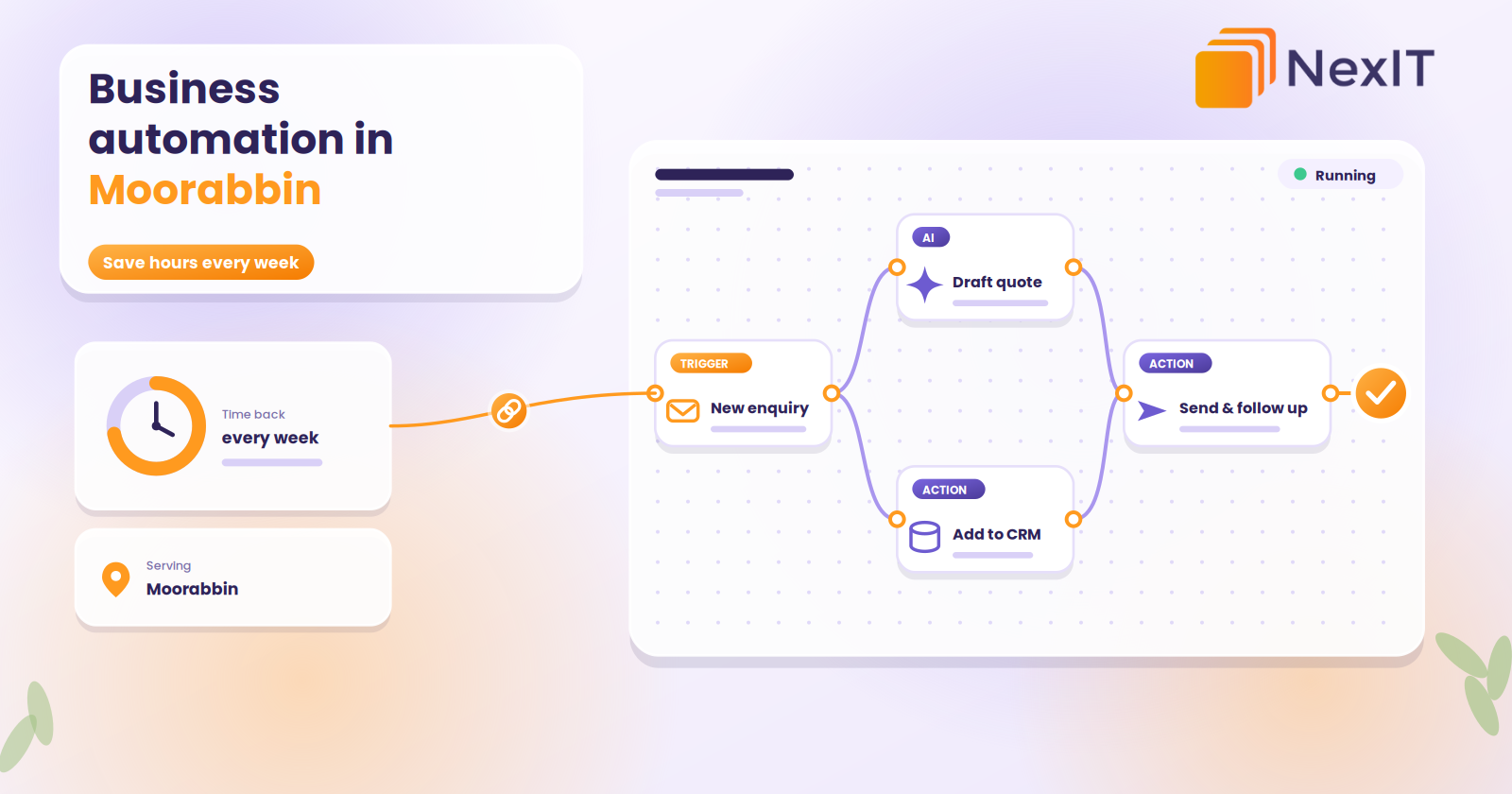
Take a typical small trade or distribution business. A customer fills in a quote form. Without automation, someone reads it, copies the details into a spreadsheet, writes a quote, emails it, then remembers (or forgets) to follow up in three days.
With automation, the form creates a customer record, notifies the right person with the details, drafts the quote from a template for review, sends it, and follows up automatically if there’s no response. The human still makes the decisions. The system handles the copying, reminding and chasing.
Time savings vary, but removing even an hour a day of repetitive work from several staff frees a lot of capacity over a year.
Talk to a NexIT Expert
New Enquiries: 1300 899 259 | Support Team: [email protected]
REQUEST A FREE CONSULTATION
Workflow automation vs AI agents: what’s the difference?
You’ll hear a lot about “AI agents” at the moment, so it’s worth being clear.
A workflow follows a fixed path you define. It’s predictable, easy to test and best for recurring processes with clear steps.
An AI agent has more freedom to decide what to do next. That can be useful for open-ended tasks, but it needs more oversight and careful testing.
For most small businesses, the sensible approach is to start with solid workflows, add AI for specific tasks such as reading documents or drafting replies, and introduce more autonomous agents only once you trust the foundation. Be cautious of anyone who promises an AI that will “run your business”. The marketing is well ahead of the reality.
When automation needs custom software
Many automations connect tools you already use, such as your accounting software, CRM, email, website and spreadsheets, using workflow platforms. That’s often enough.
Custom software becomes worthwhile when your process is unusual, when you need a proper customer or staff portal, or when your existing tools can’t be connected. In that case, a purpose-built system, with automation built in, can be the better investment. If you’re weighing that up, our guide to custom software development costs in Melbourne explains what drives the price.
Risks to manage
Good automation is careful automation. Plan for these:
- Data and privacy. Know where your data goes, who can access it and whether it’s stored in Australia. If you handle personal or health information, take extra care.
- Accuracy. AI can make mistakes. Keep a person reviewing anything important, such as quotes, financial figures and customer communications, at least at first.
- Over-automation. Not everything should be automated. Customers still value a human for sensitive or complex conversations.
- Brittle setups. Automations that depend on one person or one fragile connection break easily. Document what you build.
- Automating a bad process. Fix the process first.
- Staff buy-in. Involve your team early. People accept automation when it removes the tasks they dislike.
What does it cost?
There’s no single price. It depends on how many processes you automate, how complex they are, which systems need to connect, whether AI is involved and how much testing and support you need. Simple automations between existing tools can be quick and modest. Larger projects involving custom software, document processing or integrations with legacy systems cost more.
Ask for a clear scope, start with one well-defined process and measure the return before expanding. That keeps both risk and cost under control.
How to choose an automation partner
- Do they start with your process, or with a tool they want to sell?
- Can they show real examples of similar work?
- Will they tell you honestly when something shouldn’t be automated?
- How do they handle data and privacy?
- Do they test and document what they build?
- Who supports it when something changes or breaks?
- Do you own the workflows and accounts, or are you locked in?
Red flags include vague promises of “AI transformation”, no discussion of your current process, and reluctance to explain how things work.
Common mistakes to avoid
- Starting with the technology instead of the problem
- Trying to automate everything at once
- Skipping the pilot
- Removing all human oversight too early
- Forgetting to train the team
- Not measuring results
- Treating automation as a one-off project instead of something to maintain
NexIT Solutions helps businesses in Moorabbin
What is business automation?
Business automation uses software to handle repetitive tasks automatically, such as sending follow-ups, moving data between systems, creating invoices or routing enquiries. It reduces manual work, speeds up processes and cuts errors.
What should a small business automate first?
Start with one process that is repetitive, time-consuming and follows clear rules. Common first choices are enquiry handling, quote follow-ups, invoicing, appointment reminders, review requests and compliance reminders. Map the process, fix any obvious problems, then automate it.
Is AI automation worth it for a small business?
It can be, if you start with a specific problem and measure the results. AI is useful for tasks like reading documents, sorting emails and answering common questions. It’s less useful as a vague, business-wide solution. A small pilot shows quickly whether it pays off.
How much does business automation cost?
Costs depend on the number of processes, how complex they are, the systems involved and any AI or custom software. Connecting existing tools can be relatively affordable, while larger projects cost more. Starting with one process keeps the investment manageable and lets you see results first.
Will automation replace my staff?
For most small businesses, the aim is the opposite. Automation removes repetitive admin so your team can spend more time on customers, quality and growth. It works best when staff are involved and see it as help, not a threat.
Not sure which is right for your business?
The best choice depends on what your website needs to do for you, and a short conversation usually makes it clear. NexIT Solutions helps Melbourne businesses plan, design and build websites on WordPress, custom platforms and everything in between, and we’ll tell you honestly which one fits.
📞 Call NexIT Solutions today: 1300 899 259